Study Today, explained: your exam, your time, and exactly what to do today
The problem it solves
Working bankers do not fail JAIIB for lack of material. They fail because on a Tuesday night with 40 minutes and a tired brain, the question "what should I do?" has no answer — so they re-read the chapter they already know, or open a full mock they are not ready for and feel worse. Study Today removes the decision. It also answers the question nobody asks early enough: is the time I have actually enough for the papers I have chosen?
Step 1 — the four-step setup (once)
Open the Study Today tile (first tile on the home screen). The first time, it asks four things:
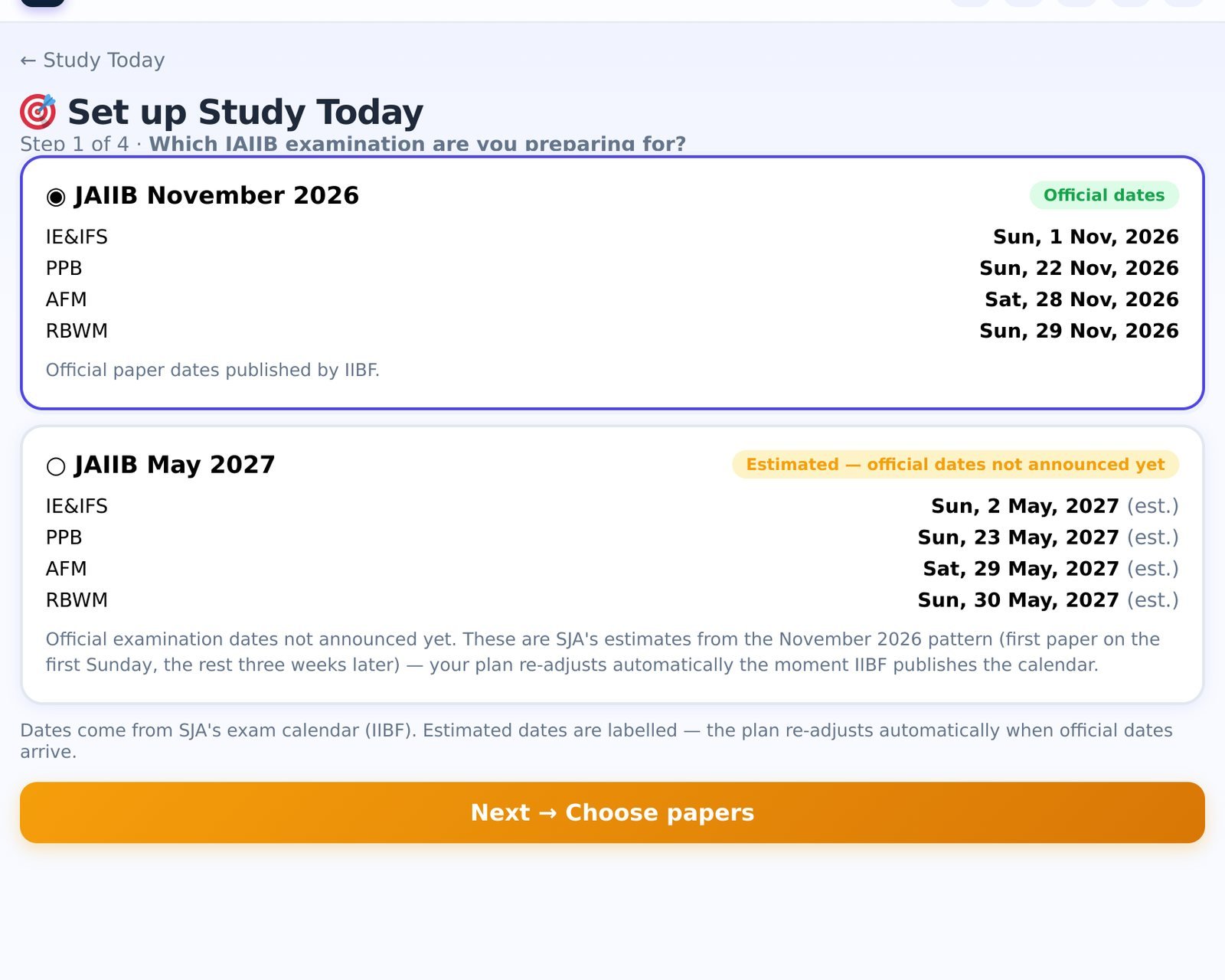
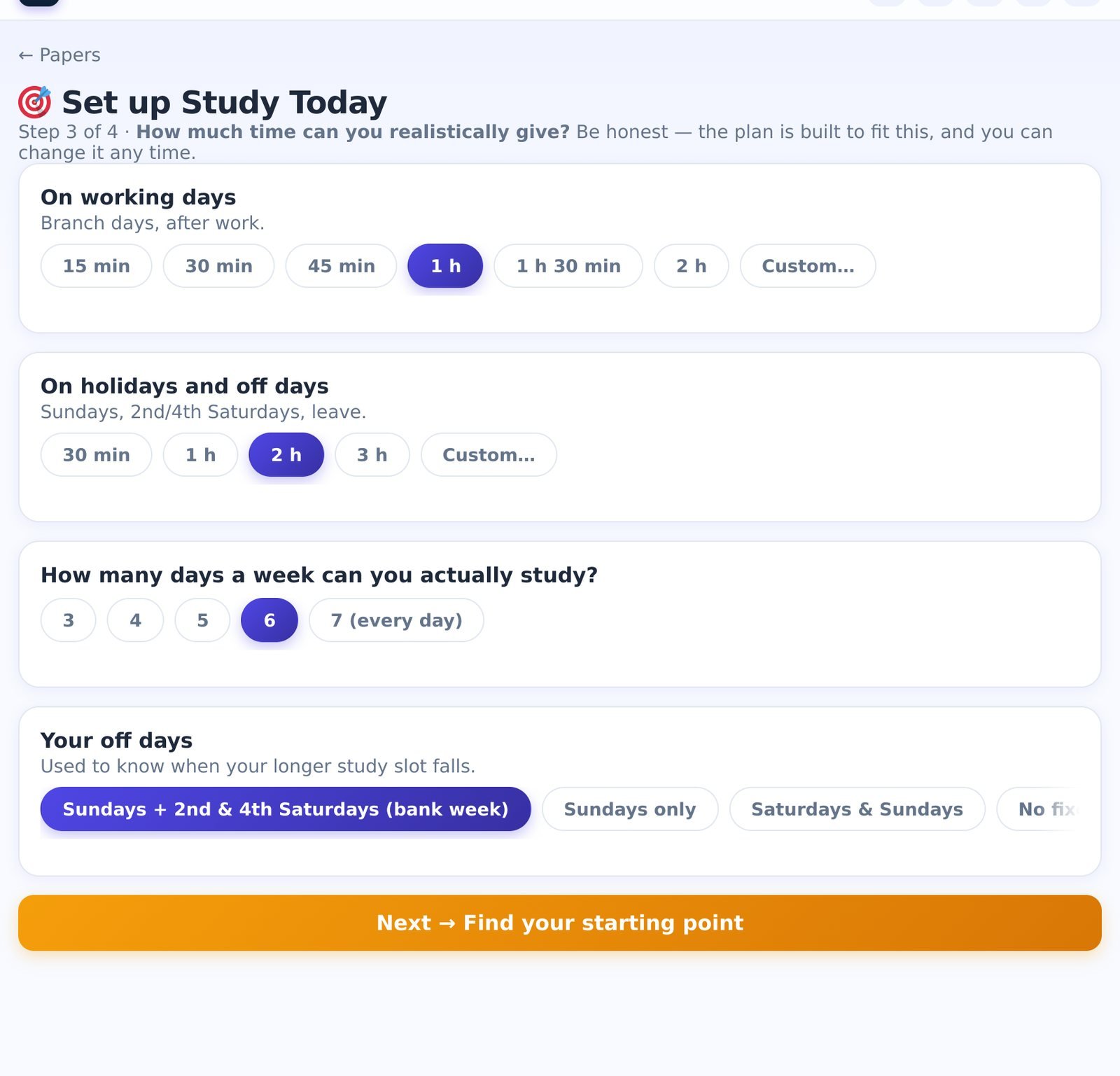
You can change any of these later from the Your setup card at the bottom of Study Today.
Step 2 — "Are you on track?"
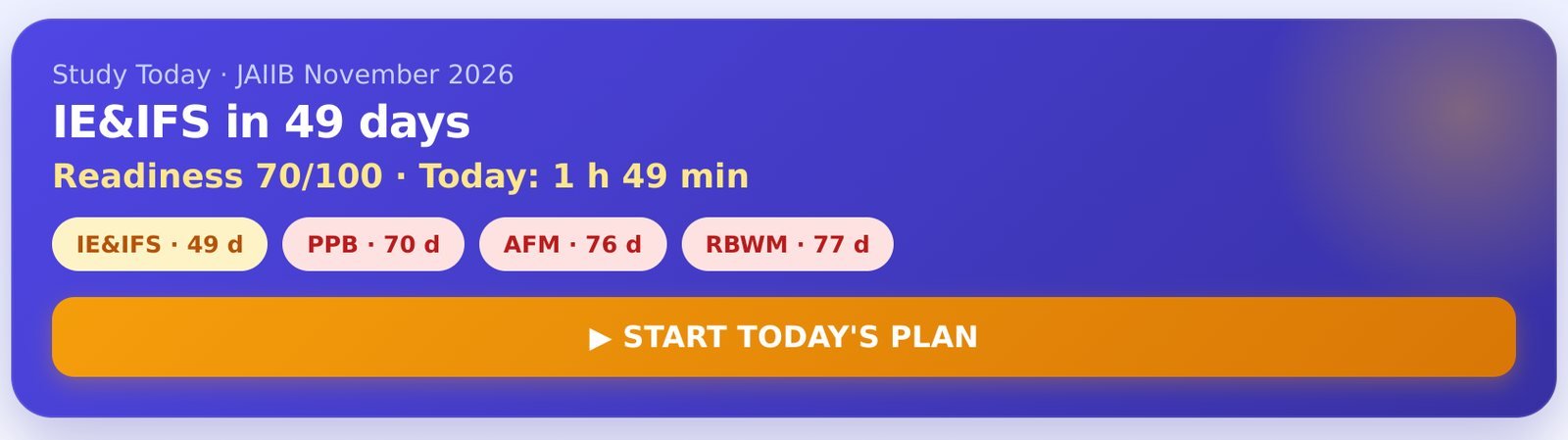
Under the header sits the card most students have never had: Are you on track?. For every paper it adds up the hours still required — units not yet learned (≈27 minutes each: the Animated PPT, the concept deck and 25 Learn-mode questions), unit tests, module mocks, a minimum of three full mocks, plus 12% for Smart Revision — and compares them, paper by paper in date order, with the hours your settings actually provide before each paper.
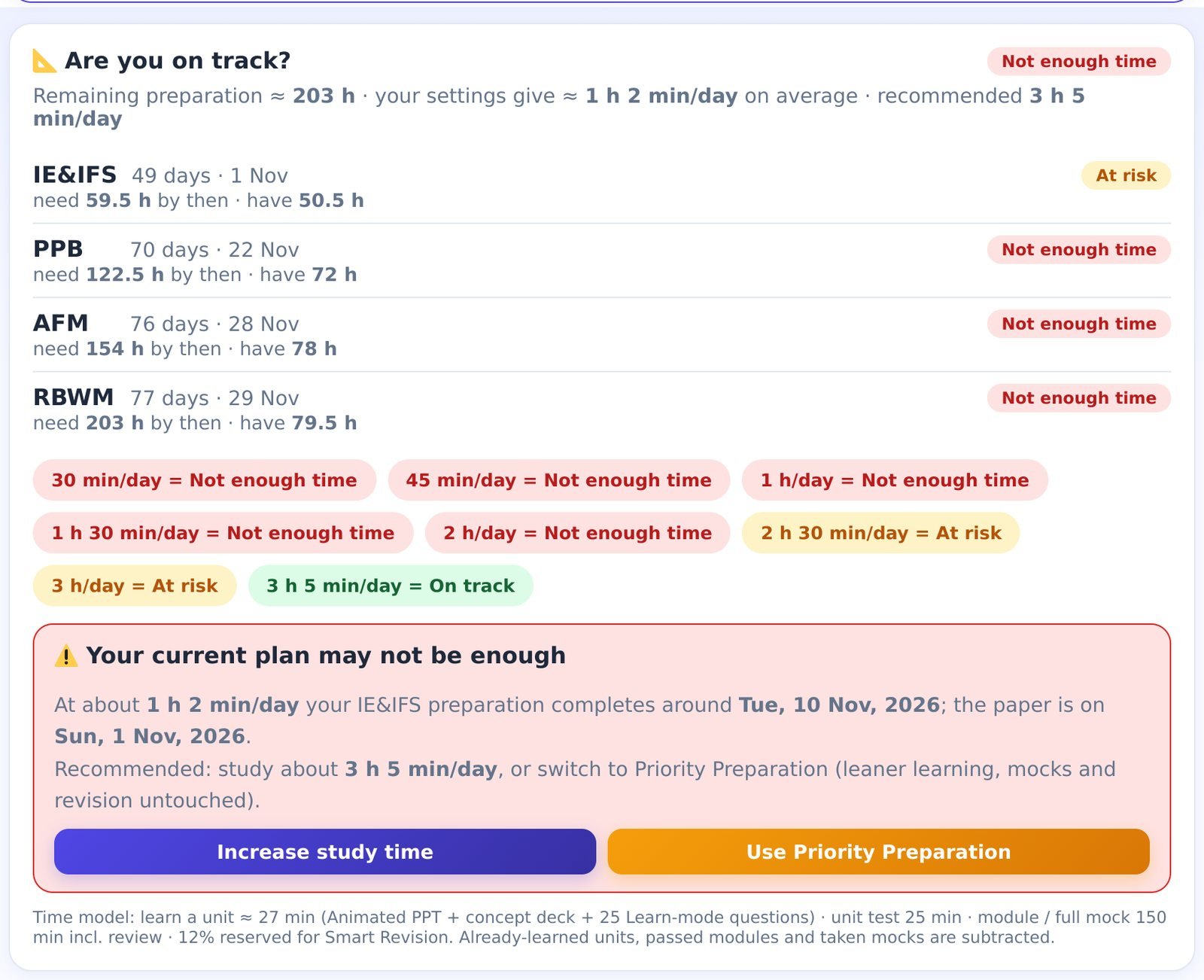
Each paper gets a verdict: Comfortable, On track, At risk or Not enough time. The chips below show what each pace would give ("2 h/day = At risk, 2 h 30 min/day = On track"), and when your current settings are not enough the card says so plainly — with the recommended minutes per day and two buttons: Increase study time or Use Priority Preparation (a leaner path: 15-question learn sessions, tests only for weak units, one module mock per module, the smallest units deferred — mocks and revision are never cut).
Step 3 — today's plan, with a reason for every task
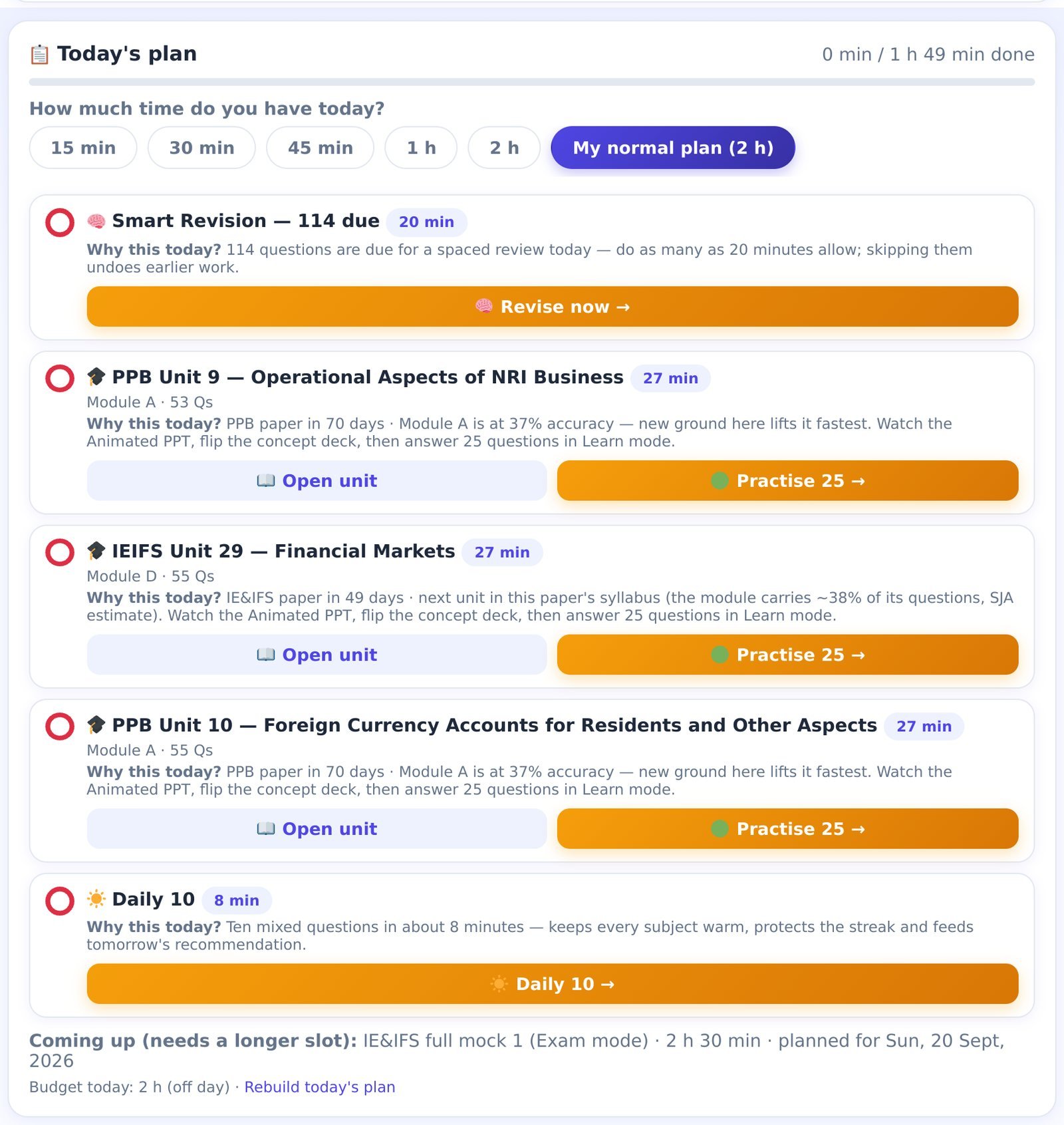
Every morning the plan is rebuilt from scratch out of everything you could do — Smart Revision, learning a new unit, repairing a weak one, a 20-question unit test or retest, a module mock, a full mock, the Daily 10 — scored by how close each paper is, how much of the remaining work it carries and how far its readiness is from where it needs to be. Then it fills your minutes: Smart Revision always first (forgotten questions are the cheapest marks to recover), at most one mock a day, no more than four learning tasks, never two tasks from the same unit.
The line Why this today? under each task is not decoration: "PPB paper in 70 days · Module A is at 37% accuracy — new ground here lifts it fastest" is the actual reason the engine chose it. Each task has its own buttons — Open unit / Practise 25, a 20-question test, Start mock, Revise now, Daily 10 — and a tick mark that fills in by itself when the practice is done.
"How much time do you have today?"
The chips at the top of the plan — 15 min · 30 min · 45 min · 1 h · 2 h · My normal plan — replace the old 30-Minute Plan. Pick one and you get the best plan for that slot: revision first, then whatever fits. Nothing is marked as missed. Finished everything and still have energy? Add 30 more minutes brings tomorrow's best work forward. A mock that needs a longer slot appears under Coming up with the day it is planned for.
Step 4 — the roadmap and the mock calendar
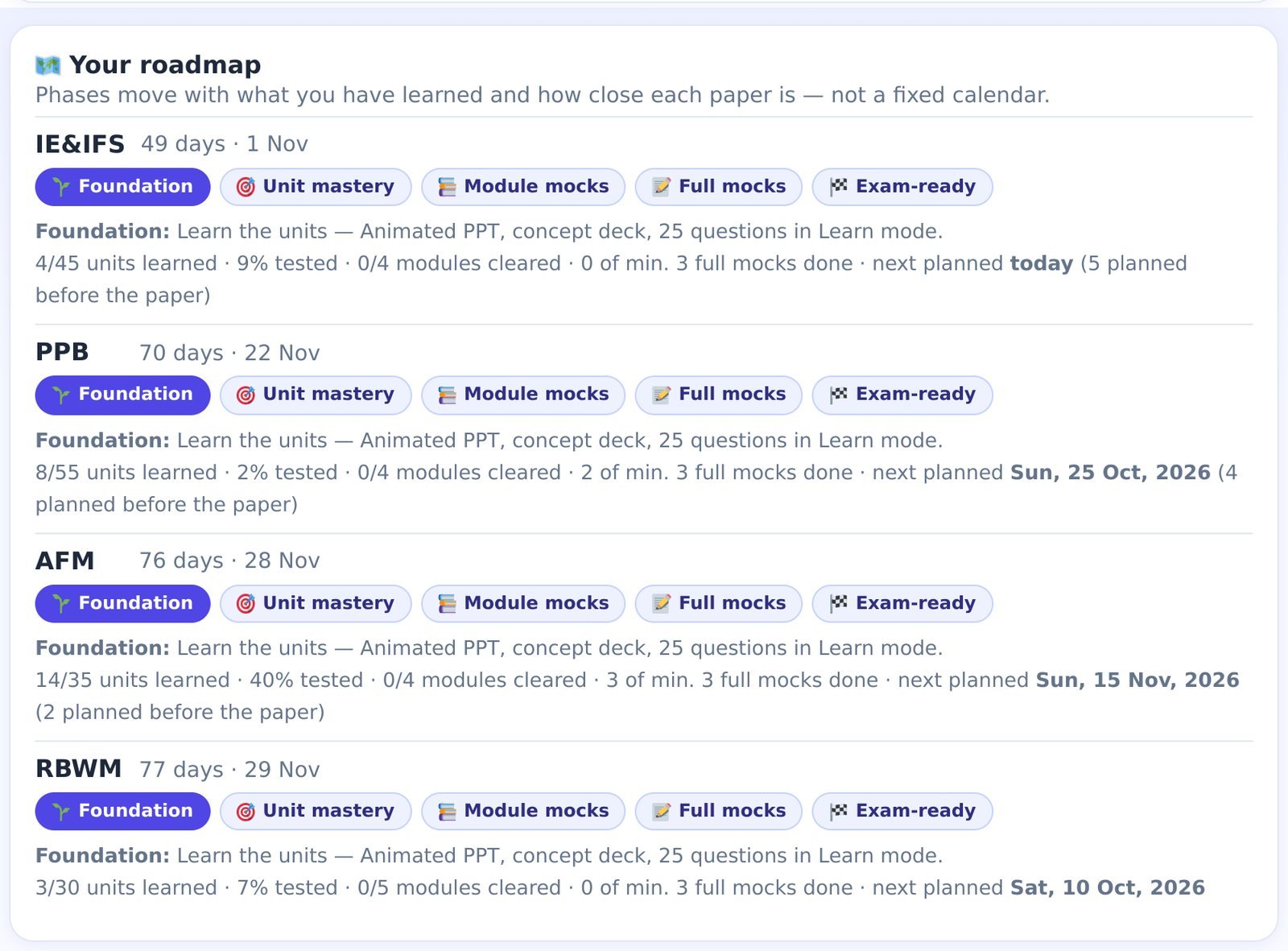
Each paper moves through five phases — Foundation (learn the units) → Unit mastery (prove each one with a 20-question test) → Module mocks → Full mocks → Exam-ready. The phase is decided by what you have actually learned, tested and cleared, and by how close the paper is — not by a fixed calendar.
Full mocks follow one shared calendar across your papers, at most one a day: every three days in a paper's last two weeks, weekly at 15–30 days out, one diagnostic full mock earlier, never the day before a paper, and only on days long enough to hold one (a full mock is 100 questions in 2 hours plus review). If your working-day slot is too short for a mock, the roadmap says so — mocks then land on your off days.
Missed a few days? Nothing piles up
There is no backlog. Each morning the engine looks at the remaining syllabus and the remaining days and rebuilds. If the pace it now needs has risen more than 10% above what you accepted, you see Your plan has been adjusted with the new minutes per day and three choices: increase study time, switch to Priority Preparation, or keep your current plan (and accept the risk it shows). After three missed days there is one calm line — never a guilt trip.
The last 14 days — exam-ready mode
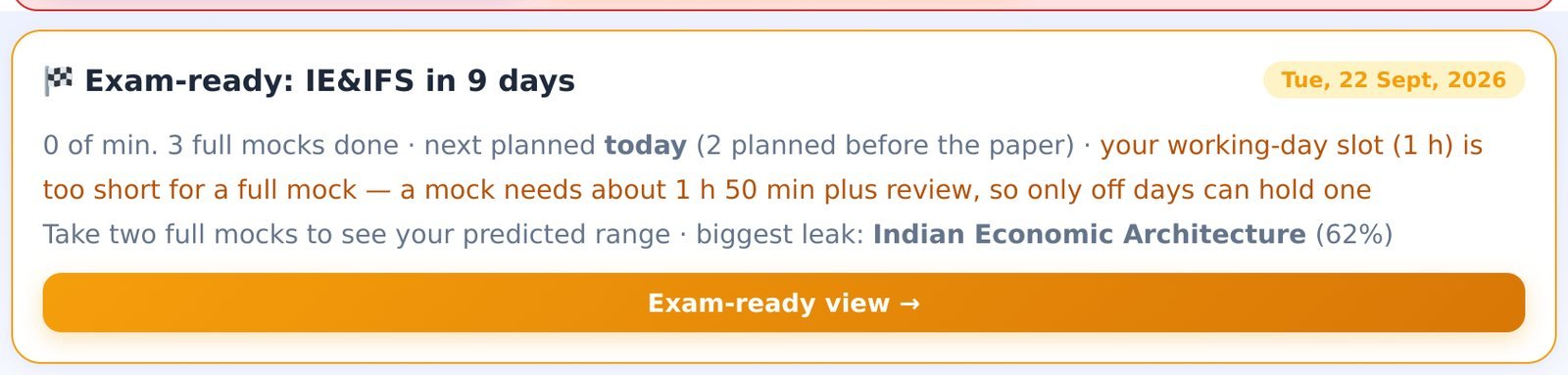
Fourteen days before a paper, that paper switches to exam-ready mode: repairs of weak units and full mocks outrank new ground, a full mock is planned every three days, and the strip above the plan opens a per-paper exam-ready view — planned mocks with a Start button, where you lose marks (with a retest button for the weakest unit in each module), weak units to repair, units that are fading, Smart Revision due, and a short exam-day checklist.
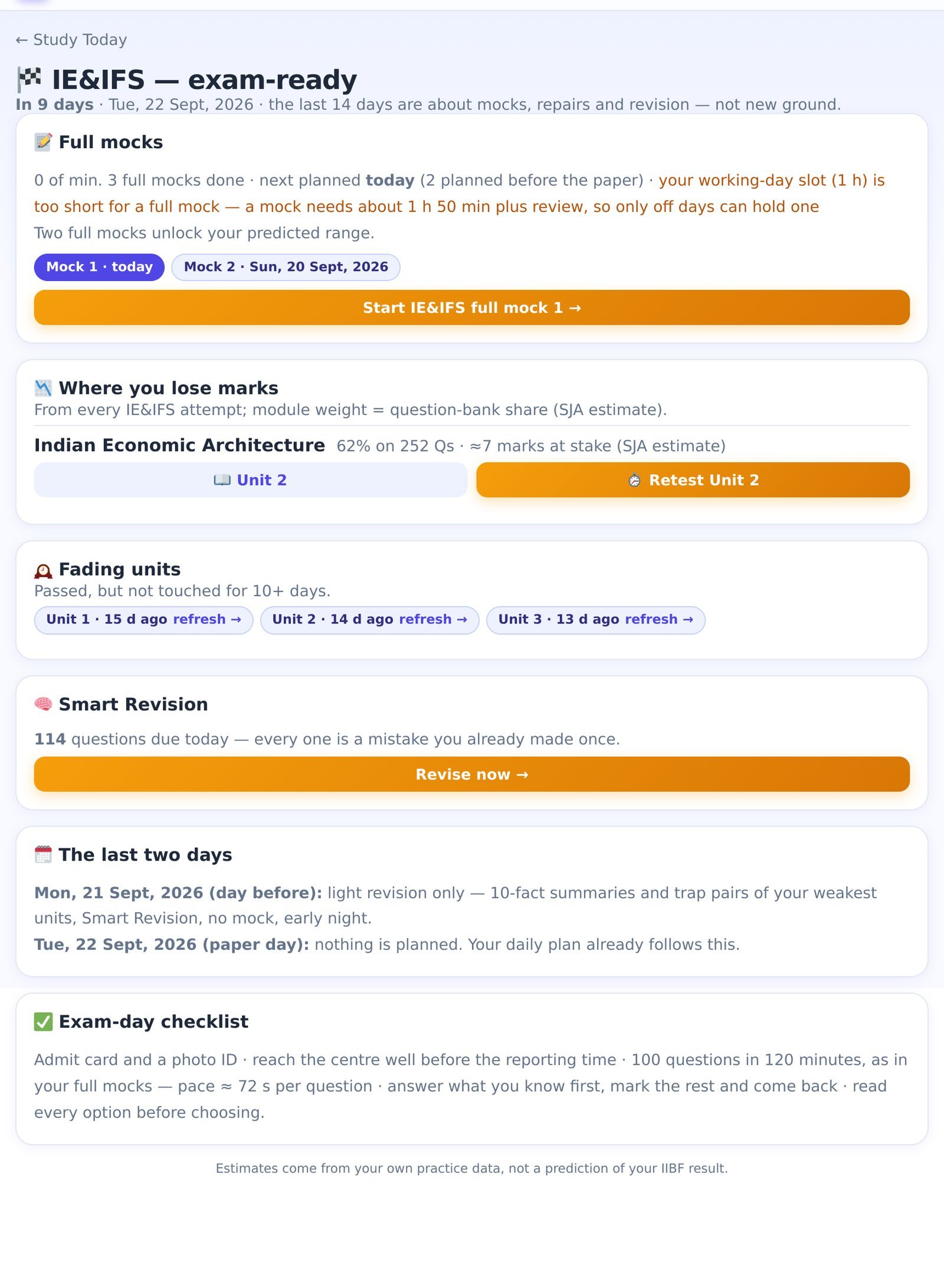
Two rules are built in: no mock the day before a paper — that day gets a light "Final revision" task instead (10-fact summaries and trap pairs of your weakest units, Smart Revision, early night) — and nothing is planned on the paper day itself.
Every week — the review
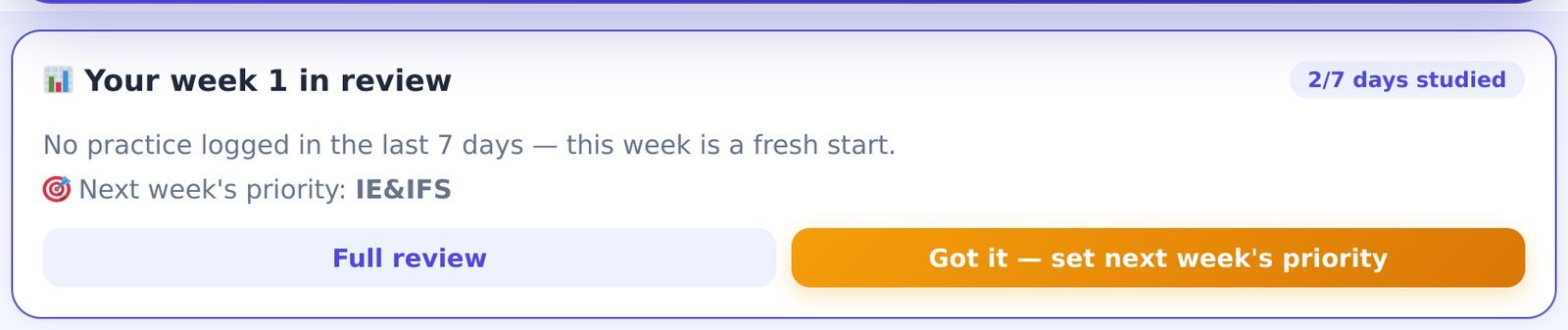
Seven days after setup, and every seven days after that, Study Today opens with a review of the week: days studied, questions and accuracy, mocks and best score, Smart Revision cleared, units learned, readiness per paper since last time, your biggest improvement and your biggest weakness (measured on units you practised at least five times). It ends with Next week's priority — the paper that needs you most — and tapping Got it pre-loads that paper into the coming week's plans.
After each paper — the check-in

The day after a paper you are asked a single question: did you appear, and how did it go? Whatever you answer, the finished paper leaves the plan, all of your study time flows to the remaining papers and the recommended pace is recalculated — you see the new number in one line. A paper you skipped is carried to the next cycle.
Common questions
- Where did the "Today:" line, Guided mode and the 30-Minute Plan go?
- Into Study Today. The recommendation engine became the ranked plan (several tasks, each with its reason), the guided loop's steps are ordinary tasks in it (Daily 10, learn, retest), and the 30-Minute Plan became the "How much time do you have today?" chips with more sizes. My Planner also lives here now — opening the old link brings you to Study Today, and an exam date you had set earlier is matched to the right cycle automatically.
- Are the exam dates official?
- A cycle marked Official dates uses the dates IIBF has published. A cycle marked Estimated is SJA's estimate and is labelled as such everywhere — the plan updates on its own when the official calendar is published. Confirm your own registration details on iibf.org.in.
- I only own one subject. Can I still plan all four?
- Yes. Study Today counts down and checks the time for every paper you tick; the content of papers not in your pass stays locked until you upgrade, and those rows are marked as such.
- Does the free demo include it?
- Yes — with the demo's content limits: the plan can open AFM Module A (units 1–11), the Daily 10 and Smart Revision. The setup, countdowns, feasibility check, roadmap and weekly review all work.
- Is the Readiness Score different now?
- No. Study Today reads the same Readiness Score (guide 3) and the same Smart Revision queue (guide 1) — it does not keep a second score of its own.
Screenshots show a sample student account (some with a shifted exam date to show the exam-ready and after-paper screens); your numbers will be your own. Independent study aid — not affiliated with, endorsed by, or sponsored by IIBF. Readiness figures are estimates computed from your own practice inside the Mock Centre and do not predict the official result.