Subject Progress, explained: how the Mock Centre decides a unit is really "done"
Where to find it
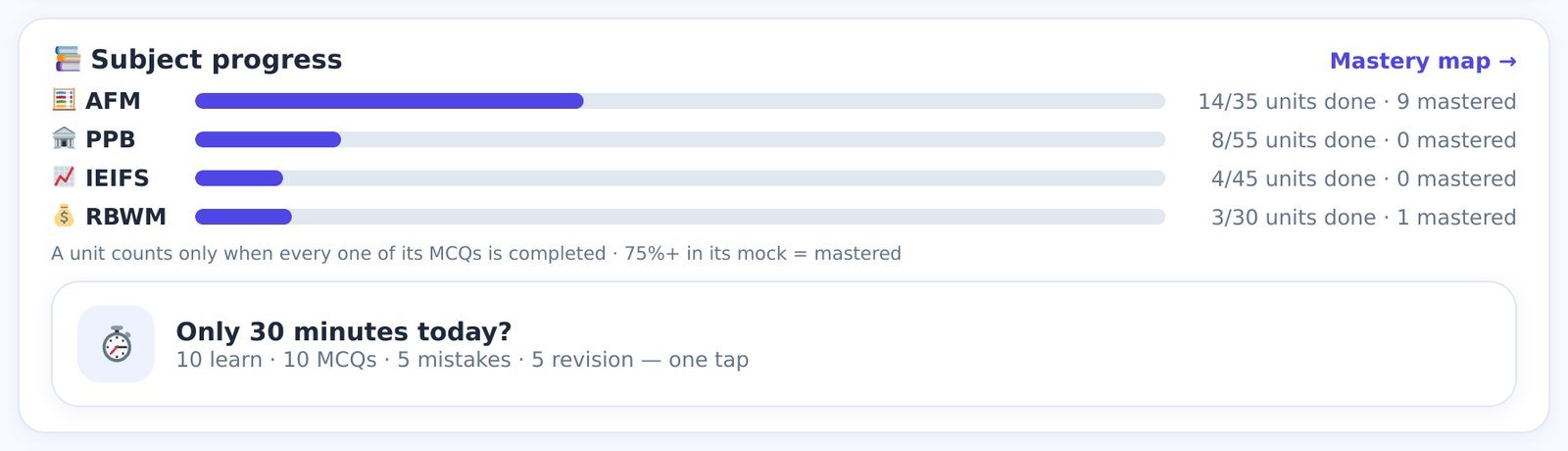
On the home screen, directly under the Revision due card. Four bars — AFM, PPB, IE&IFS, RBWM — with a line of text on the right.
Reading one line
Take the AFM row: 14/35 units done · 9 mastered.
- 35 is the number of units in the AFM syllabus (PPB has 55, IE&IFS 45, RBWM 30 — 165 in all). Every unit in our books, Animated PPTs and question bank follows the same numbering, so "AFM Unit 14" means the same thing everywhere.
- 14 done means 14 units where you have answered every single MCQ in the unit's bank at least once. Not opened. Not skimmed. Answered — all of them. The purple bar is 14 ÷ 35 = 40% full.
- 9 mastered means 9 units where your best score in that unit's mock is 75% or higher. Mastery is about accuracy; "done" is about coverage. You can be done without being mastered (you answered everything, but badly) — and, rarely, mastered without being done (you scored 75%+ on a unit mock that drew only part of the bank).
How to move a bar

The Mastery Map — the same information, unit by unit
Tap Mastery map → on the card (or the map tile) and the four bars unfold into all 165 units on one screen.
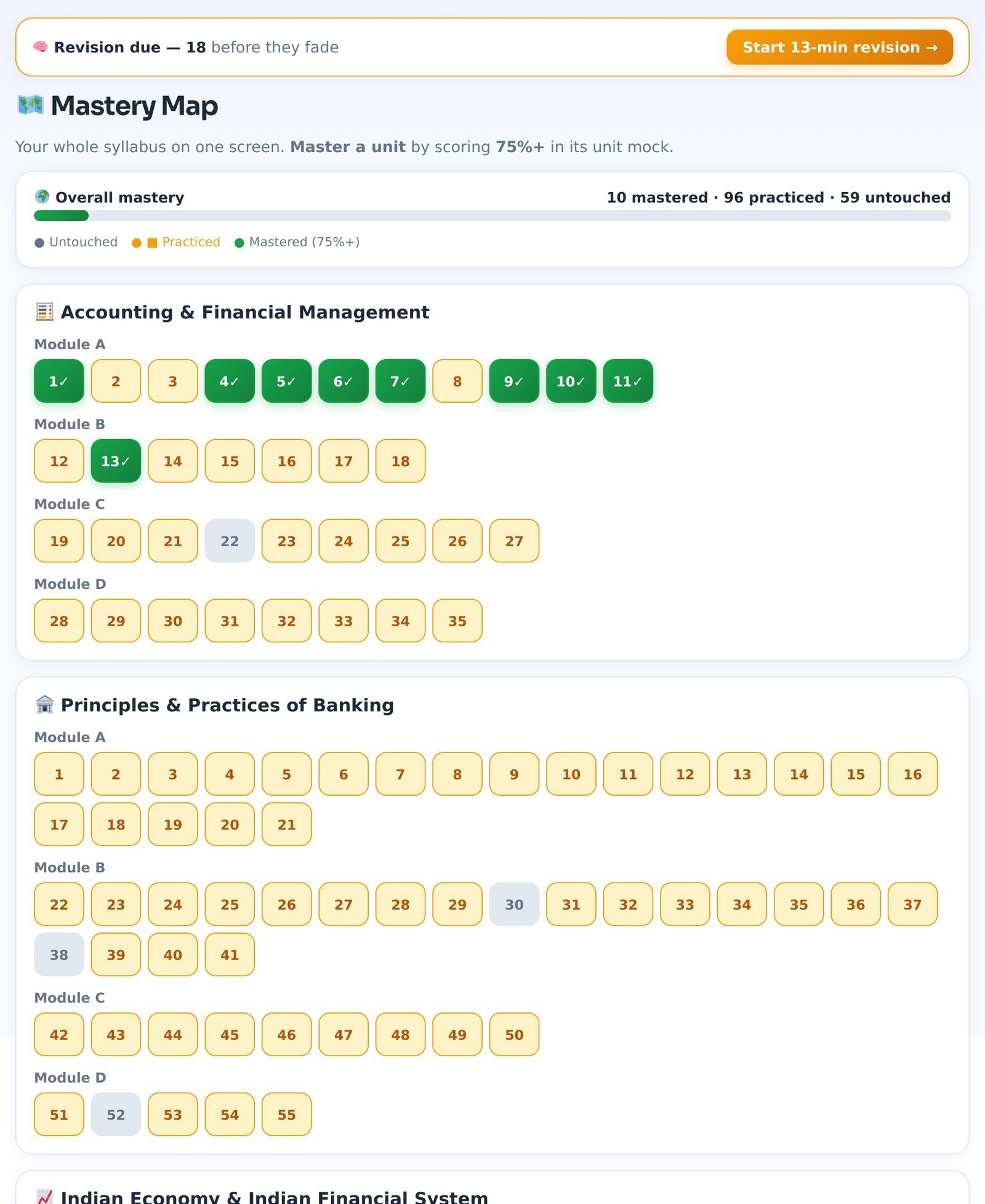
Three colours, one rule each:
- Grey — you have not answered a question from this unit yet.
- Amber — you have practised it but your best unit-mock score is under 75%.
- Green ✓ — mastered.
Use the map for planning, not for feeling good: the grey squares in a module you thought you had covered are exactly the questions you will meet in the exam and have never seen. Tap any square to open that unit.
"Only 30 minutes today?" — now inside Study Today
Bad days happen. The old fixed 30-Minute Plan has grown into the "How much time do you have today?" chips at the top of your Study Today plan — 15 · 30 · 45 · 60 minutes · 2 hours. Pick one and the app builds the best plan for that slot: Smart Revision first, then whatever moves a bar most. Nothing is marked as missed.
What "good" looks like across three months
| Time to exam | Units done | Mastered |
|---|---|---|
| 90 days | ~25% of each subject | your strongest module green |
| 60 days | ~60% of each subject | half of what is done |
| 30 days | 90%+ — nothing grey | most of it |
| Last 10 days | 100% | whatever is amber gets a re-mock |
The Readiness Score uses the same "done" units as its coverage ingredient (20 of the 100 points), so filling these bars raises your score directly — see guide 3.
Common questions
- I finished the Animated PPT and the concept deck. Why is the unit still grey?
- Because you have not answered its questions. Animated PPTs and decks teach; only answering counts as practice. Open the unit mock.
- I answered 60 of a unit's 61 questions. Why is it not done?
- One left. "Every one of its MCQs" means every one. The Continue learning bar shows how far you are.
- On the free demo the other three subjects say "🔒 demo".
- The demo opens AFM (Module A units) so you can try everything. A Subject Pass or the Online Mock Centre unlocks the rest, and your AFM progress carries over.
Screenshots show a sample student account after three weeks of practice; your numbers will be your own. Independent study aid — not affiliated with, endorsed by, or sponsored by IIBF. Readiness figures are estimates computed from your own practice inside the Mock Centre and do not predict the official result.